
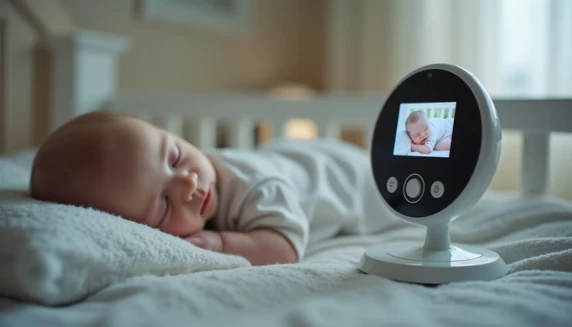
Baby monitors have come a long way – from simple audio units to smart systems with HD video, split screens and app alerts. Below you’ll find eight baby monitors that are widely appreciated by parents. We start with four more affordable, non-WiFi favourites and then move to six higher-priced models that add extra range, image quality or smart features
Quick Snapshot for Tired Eyes
- Lower-priced picks focus on secure, non-WiFi connections and good basic video.
- Higher-priced monitors add HD screens, split-screen viewing, smart alerts or app control.
- Parental reviews highlight reliability at night, battery life, and how easy it is to see and hear baby.
⭐ Short on time?
Skip to the comparison table below to quickly find the best baby monitor for your child.
⭐ Ready to choose?
Scroll down to see why parents love each baby monitor—and find the one that fits your child best.
Budget-Friendly Non-WiFi Favourites
These four monitors typically sit at the lower end of the price spectrum but are still appreciated for doing the basics really well: clear audio, simple setup and a secure, non-WiFi connection.
Affiliate and referral links are included below to endorse products we recommend. If you purchase through these links, we earn a small commission at no extra cost to you.

Lower price range • #1 Best Seller in several baby monitor categories
Non-WiFi monitor with remote pan-tilt-zoom, night vision, temperature sensor and two-way talk.
Reviews frequently praise the strong signal, simple setup and solid value for the price.
🧠Many parents like that it’s a closed system – no app or WiFi needed.

Lower price range • Simple video + audio monitor
Typical features include 5″ screen, two-way talk, night vision and temperature display.
Parents like that these “no-frills” sets are very straightforward to use straight out of the box.
🧠Good option for grandparents or caregivers who want a simple, dedicated monitor.

Lower price range • 3.2″–5″ screen, long battery life
Non-WiFi FHSS connection, two-way audio, night vision, VOX/ECO mode and temperature alerts.
Reviews often mention good range around the house and dependability at night.
🧠Recent models highlight battery life of 15–30 hours in ECO mode, which busy parents appreciate..

Lower price range • 5″ screen, 720p video.
Monitors in this category offer 720p video, 5″ screens, 1000 ft advertised range and built-in lullabies.
Parents appreciate the combination of slightly sharper video with a still-affordable price.
🧠Common feedback: “does exactly what we need without WiFi or complicated apps”.
Higher-Priced Monitors with Extra Features
These four monitors typically cost more but add extras such as HD or 2K video, split-screen viewing, app control or AI-style alerts. They’re popular with parents who want as much information as possible at a glance.

Higher price range • 5″ 720p screen, no WiFi
720p HD screen, interchangeable lenses, pan-tilt-zoom and strong reputation for reliability.
Patented Active Noise Reduction helps filter out background fan/AC noise so you hear baby more clearly.
Frequently recommended in parenting communities as a trusted non-WiFi premium monitor.
🧠Higher-end image quality, lens options, and advanced noise reduction – features not usually found on budget units.

Higher price range • Split screen, two cameras
Comes with two cameras and a 5″ HD display that can show both rooms at once.
Parents like being able to monitor two siblings or a baby and playroom at the same time.
Features typically include night vision, two-way audio, lullabies and good range.
🧠Split-screen viewing and multi-camera system — ideal for twins or multiple kids.

Higher price range • Large 7″ screen, dual cameras
Large 7″ HD screen, two cameras, split-screen mode, VOX, and pan-tilt-zoom. {index=19}
Parents praise the big, bright display and the flexibility of the flexible mounting brackets.
Good fit for families who want a “control center” view of more than one room.
🧠Larger HD display, dual cameras, and flexible mounting compared with standard 5″ sets.

The iFamily WiFi Baby Monitor with App combines a 5-inch HD parent monitor with a 2K WiFi camera for clear, real-time monitoring. It features night vision, two-way talk, motion tracking and alerts, temperature monitoring, lullabies, and secure WiFi protection, allowing parents to check on their baby from anywhere using a smartphone.
🧠 Flexible remote access, smart alerts, and extra peace of mind—whether at home or away.
🎯 Comparison Table – Top Baby Monitors
| Baby Monitor | WiFi / No WiFi | Screen / Camera | Main Features | Main Advantage |
|---|---|---|---|---|
| GoodBaby 5 Baby Monitor | No WiFi | 5" screen | 30-hour battery, remote pan-tilt-zoom (PTZ), auto night vision, room temperature sensor, two-way audio, lullabies, 960 ft range | Excellent battery life and secure connection without WiFi |
| VTech VM819 Baby Monitor | No WiFi | 2.8" display | 19-hour battery, 1000 ft range, night vision, two-way talk, temperature sensor, sound-activated screen, lullabies | Reliable, easy-to-use monitor with long range and privacy |
| HelloBaby HB6550 Baby Monitor | No WiFi | 5" screen | 30-hour battery, pan-tilt-zoom, night vision, VOX mode, two-way talk, 8 lullabies, 1000 ft range | Strong balance of features, battery, and affordability |
| Kidsneed Baby Monitor with Camera and Audio | No WiFi | 5" 720P screen | 720P video, night vision, audio monitoring, secure connection | Clear HD image with simple, secure setup |
| Infant Optics DXR-8 Baby Monitor | No WiFi | 3.5" display / 480p | Interchangeable lenses, pan-tilt-zoom, LED sound bar, night vision, two-way talk, FHSS secure connection | Flexible camera lenses for customized viewing |
| Babysense 5 HD Split-Screen Baby Monitor | No WiFi | 5" HD split-screen / 2 cameras | Split-screen view, two-way audio, night light, 4X zoom, night vision, 1000 ft range, 4000mAh battery | Best for monitoring two rooms or siblings at once |
| Comfyer BM01 7 HD Split-Screen Baby Monitor | No WiFi | 7" HD screen / 2 × 1080P cameras | 48-hour battery, split-screen, remote PTZ, flexible bracket, two-way audio, auto night vision | Extra-large screen and long battery life for all-day monitoring |
| iFamily WiFi Baby Monitor with App | WiFi + App | 5" HD monitor / 2K camera | Smartphone app, motion tracking & alerts, temperature sensor, night vision, lullabies, secure WiFi lock | Remote access from anywhere with smart alerts |
✨ Final Thought
Always position baby monitors according to the manufacturer’s instructions – out of reach of little hands, with cords safely secured and away from the crib. For WiFi-enabled monitors, use strong passwords and keep your home network updated to protect your family’s privacy.
Understanding sleep patterns is easier when you know what’s developmentally normal; see Tiny Steps Big Skills for a clear milestone breakdown.
Read Next
See all posts from “Smart Picks” here